Seller + buyer experience · 0→1
Buyback at a glance
A seller sends an offer to buy back an order that hasn't shipped. The buyer has 2 hours to accept it. If they do, they get store credit for that seller's shop and the order doesn't ship.
Overview
On LIVE, buyers often end up with things they didn't really want, from a Mystery Box, a card pack or an auction they got caught up in. Reselling it themselves is a lot of work. Buyback gives them a simple way out, and gives sellers a reason to welcome it.
How it started
It started with something sellers were already doing. Talking to sellers and looking at activity on Palmstreet, we noticed some Disney and collectibles sellers buying items back with a workaround: the buyer cancelled the order and the seller gave them a coupon. The seller kept the item, and the buyer got the value back to spend on something else.
It worked, but it was a hack, and it was clearly useful for these sellers. That was our signal to build Buyback into Palmstreet properly.
My role
I designed Buyback from 0 to 1, for sellers and buyers.
Research
Looked at how StockX, Courtyard, GameStop and Arena Club offer to buy items back, and compared three directions for how our version could work.
Seller flow
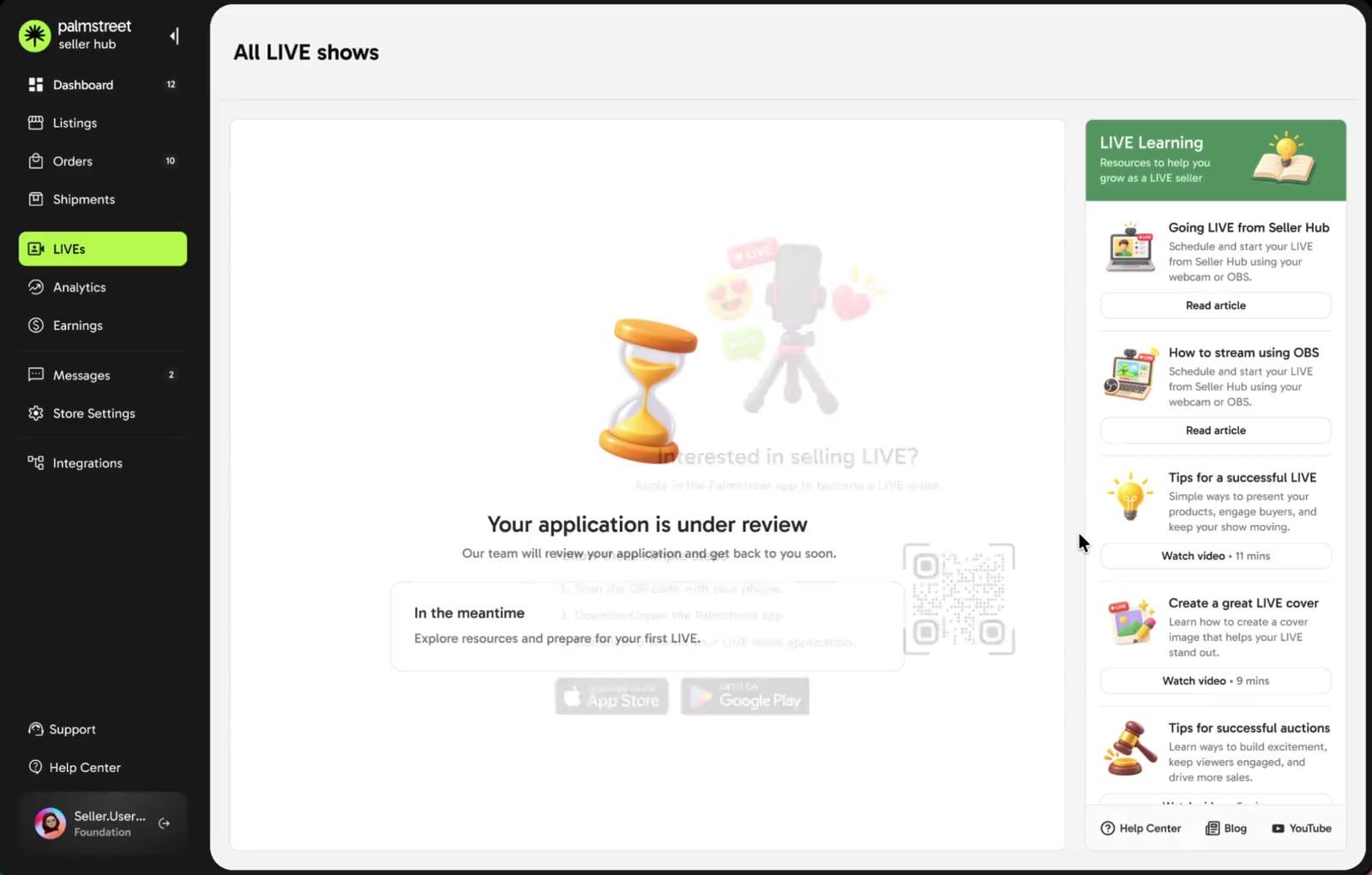
Designed creating, editing and withdrawing an offer, during the LIVE and after it, from the sold listings and the order page.
Buyer flow
Designed how buyers find, understand and accept an offer, on the LIVE, in their orders, in messages and from a notification.
Lifecycle
Mapped every state an offer can be in and how it shows up in the order timeline for both sides.
Edge cases
Designed for offers that can't go through, pending offers when shipping, and the eligibility window closing.
I worked through every round with my PM, the CTO and our Design Lead, and took it from a blank page to final designs in under 3 weeks.
Context
What's a Buyback?
A Buyback is a separate transaction on top of the original order. The original sale stays the same. It just doesn't ship.
- 1
Seller sends an offer
Within 72 hours of the sale, for an order that's paid and hasn't shipped, the seller offers an amount in store credit.
- 2
Buyer decides
The buyer has 2 hours to accept. If they don't, the offer expires. The seller can send another one, as long as it's within the 72 hours.
- 3
Credit, not shipping
Once accepted, the buyer gets store credit for that seller's shop, and the seller keeps the item to sell again.
Goal
Give buyers a quick, clear way out of an order they don't want, and turn it into a win for the seller: no shipping, the item back in stock, and a buyer with a reason to come back.
Seller goals
Send an offer before the order ships, see what it'll cost before sending, track where it stands, and keep the item to sell again.
Buyer goals
Understand an offer at a glance, know exactly what the credit is and where it works before accepting, and find it easily after.
Business goals
Keep the value between buyers and sellers through store credit, leave the original order untouched, and learn if Buyback helps high value items move.
- Why it mattered
- The credit can only be spent in that seller's shop, so every Buyback brings a buyer back for another purchase.
- Sellers skip shipping and keep the item to sell again in a future LIVE.
- In scope
- Orders from LIVE, including auctions, Mystery Box and Buy Now, that are paid and haven't shipped.
- The whole order, including shipping and taxes. No partial Buybacks.
- Store credit for the seller's shop, paid by the seller, and only charged if the buyer accepts.
- Offers within 72 hours of the sale, each lasting 2 hours.
- Out of scope
- Replacing refunds, cancellations or disputes.
- Cash, withdrawals or credit that works anywhere on Palmstreet.
- Orders that already shipped.
- Buyers asking for a Buyback or negotiating.
- Offers paid for by Palmstreet.
- Relisting the bought back item automatically.
Research
Finding the right model
I looked at how other collectibles apps buy items back. StockX, Courtyard, GameStop and Arena Club all offer a buyback right after a reveal, and they make the offer the hero of the screen: the amount, big and clear, with one main action.
Scroll sideways · click to enlarge
We explored three directions for who sends the offer, and when.
Offer set at listing
When creating a Mystery Box or auction, the seller turns on Buyback and sets a price. But they often don't know what it'll sell for, and it touched too many surfaces. We set it aside.
Buyer asks the seller
A buyer who doesn't want their item offers it back at a price. But sellers could get flooded with lowball offers, adding chaos to an already busy LIVE. We scrapped it.
Offer after the sale
The seller decides after the sale if they want to buy it back, during the LIVE or after it. It gives sellers the most control, and touched the fewest surfaces.
We went with offers after the sale, for anything sold on LIVE.
Alignment
Mapping the lifecycle
Before designing any screens, I mapped the whole lifecycle for sellers and buyers, to get the PM, CTO and design lead aligned on how Buyback should work.
Buyback touches money, orders and shipping, so every step, outcome and order state had to be agreed first. Here's the map, updated with where we landed: buyers accept or let the offer expire, and each offer lasts 2 hours.
- Success
- Active or timed
- Back to normal
- Ends the offer
Main flow
Order is paid
The buyer completes the purchase.
Check eligibility
Within 72 hours of the sale, and the order hasn't shipped.
Create offer
The seller enters an amount for the entire order.
Check amount
More than $0, within limits and no more than the order value.
Offer is active
Lasts 2 hours. The order is on hold, and the seller can edit or withdraw.
Not eligible for Buyback
Past 72 hours, already shipped, refunded, cancelled or disputed, or an unrevealed Mystery Box item.
Outcomes
Buyer accepts
Nothing will be shipped.
Seller is charged
From earnings first, then the payment method on file.
Bought back
The order is complete.
Offer expires
No answer within 2 hours.
Back to fulfillment
The order ships as normal.
Can send another offer
If it's still within 72 hours of the sale.
Seller withdraws
While the offer is active.
Back to fulfillment
The order ships as normal.
Can send another offer
If it's still within 72 hours of the sale.
Offer invalidated
The order shipped, was refunded or cancelled, or a system rule kicked in.
No more offers
Buyback isn't available for this order anymore.
Order states
Offer active
- Order is on hold
- Offer lasts 2 hours
- Seller can edit or withdraw it
Bought back
- Nothing will be shipped
- Seller has been charged
Offer expired
- Order returns to fulfillment
- Can send another offer within 72 hours
Offer withdrawn
- Order returns to fulfillment
- Can send another offer within 72 hours
Invalidated
- The order changed, or a system rule
- Can't send another offer
Not eligible
- Past 72 hours, shipped, refunded, cancelled or disputed
Key rules
- 01Sellers can send offers for 72 hours after the sale.
- 02Each offer lasts 2 hours for the MVP.
- 03Sellers can edit or withdraw an offer while it's active.
- 04No money is held when an offer is sent.
- 05Sellers are only charged if the buyer accepts.
- 06Another offer can follow one that expired or was withdrawn, within the 72 hours.
Iterations
Designing the Buyback card
The trickiest part was the content on the Buyback card: making it easy to understand at a glance, with as few words as possible, for both sellers and buyers.
Seller
For sellers, the card had to show why it's worth it: no shipping, the item back in stock, and a buyer who comes back.
- Tweaked the copy a few times, so each benefit fits in one short line.
- Moved things around, bringing the order card to the top. This example has one item, but the same design works for orders with more, and sellers can tap View details to see them all.
- Made the why collapsible. Once a seller knows how Buyback works, the Why sellers use Buyback section folds away, so the card stays compact.
- Kept a help centre link for anything the card doesn't cover.
Buyer
For buyers, the first versions said too much. I cut it down until the offer read in a glance.
- Removed decline. Buyers accept, or let the offer expire and the order ships as normal.
- Simpler copy, so buyers quickly understand it's store credit for this seller, not a refund.
- Kept a help centre link, since buyers have time to read up before accepting.
Seller flow
Entry point explorations
Buyback is new, so sellers need to know it exists before they need it.
I looked at where sellers already spend time in their regular flow and added a small card there, which they can dismiss. The Sold tab was the obvious place, but by then it could be too late. So the card also shows up before the LIVE, while sellers are adding listings, and at the bottom of a Mystery Box, where buying items back fits most naturally.
The card is meant to introduce Buyback, not nag. It only shows up for a seller's first few days with the feature, and they can dismiss it anytime.
Sending an offer
Seller flow
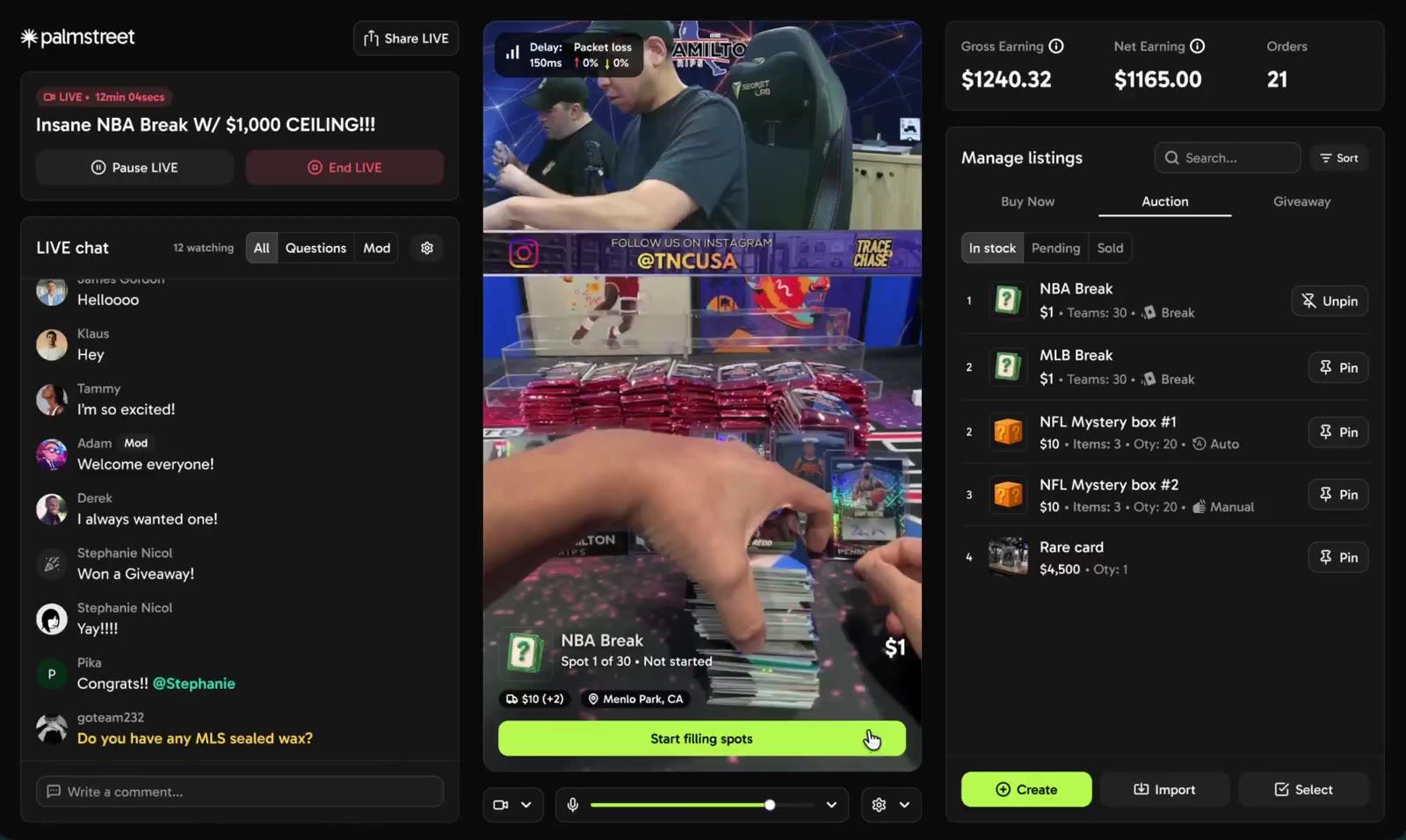
Once sellers know why, sending an offer takes a few taps, during the LIVE or after it.
Once an offer is out, sellers can edit or withdraw it while it's active. When the buyer accepts, the seller sees it in the chat and on the listing, and the order drops out of their shipping list.
Each sold listing also shows where its Buyback stands, so the seller always knows whether to ship.
Clear and exciting for buyers
Buyer flow
For buyers, the offer had to feel like good news at first glance, and be impossible to misread.
The amount is the hero, so it reads like something you got. But right next to it, I made three things clear: it's store credit, not money back. It only works in this seller's shop. And it covers the whole order, including shipping and taxes.
- Confirm twice
- Accepting can't be undone, and it's easy to tap yes by accident. So accepting takes a second step.
- The confirmation spells it out once more: it's a Buyback, the credit only works in this seller's shop, it can't be cashed out, and the sale is final.
- Accept or let it expire
- My first version let buyers decline. With the PM, CTO and design lead, we agreed to keep it to accepting or letting it expire.
- If it expires, nothing changes and the order ships as normal. While it's active, they can accept anytime, without having to decide on the spot.
- 2 hours, not 24
- We started with offers lasting 24 hours, then shortened it to 2 hours for the MVP.
- A seller can send an offer during the same LIVE the item sold in, and the buyer can act on it there or later from their order.
- The team will test if 2 hours is enough, and adjust the window, longer or shorter, based on feedback.
Seller + buyer flow
Beyond the LIVE
I started with Buyback on LIVE, but we wanted it outside the LIVE too for the MVP. Running a show is already a lot, so some sellers need time after it ends to decide which orders to send offers for.
Seller
After the show, sellers can go through their orders and send an offer from the order page, using the same offer sheet as on the LIVE.
While an offer is out, the order is marked Buyback pending and can't be shipped until it's resolved (more in edge cases). Once it's accepted, the order no longer needs to ship, and the payment shows up in the seller's earnings.
Buyer
Buyers might not be in the app when an offer lands, and they only have 2 hours. So it reaches them wherever they are: a notification, their activity, a message from the seller and the order itself.
From there, it's the same offer and confirmation as on the LIVE. Once accepted, the order is marked completed and the credit shows up in their wallet, tied to the seller who gave it.
Order timeline
The order timeline in the product keeps both sides in the loop. These are the states it shows the seller and the buyer, based on the status of the Buyback.
Rules
Edge cases
Money and shipping are both involved, so a few things can get in the way. I designed for each one so nobody gets stuck.
Pending offers: If a seller tries to ship orders that have an active offer, they're asked to resolve the offers first, or withdraw them and ship.
Outcome and learnings
Outcome
Buyback went from a blank page to final designs in under 3 weeks, for sellers and buyers, on and off the LIVE. It's being built now.
Saying just enough
Most of the work on Buyback was in a few lines of copy and layout. A seller had to see why it's good for them, and a buyer had to see it's store credit for one shop, covering the whole order, all at a glance. It took several revisions, and it taught me that clarity on a small card can matter as much as the flow around it.
Fewer choices can be kinder
Dropping decline meant buyers never had to say no. They accept, or nothing changes.
Short windows need reach
A 2 hour offer only works if it finds the buyer, so it shows up on LIVE, in orders, in messages and as a notification.
Start narrow, then extend
Getting it right on LIVE first made bringing it to orders, messages and notifications much faster.